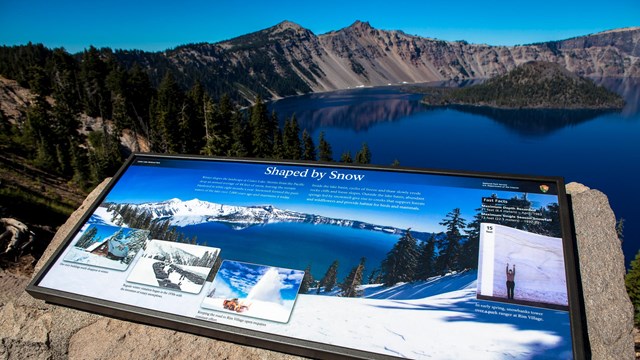
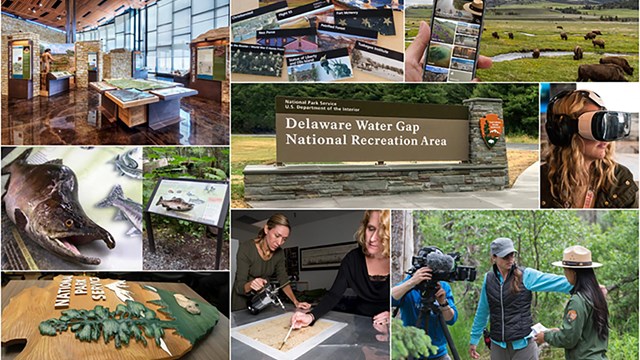
Wayside Exhibits are produced from HFC supplied full-size digital layout grids created in Adobe® InDesign®. While these files start the project off in the right direction, they do not guarantee successful fabrication. Specific resolution and color requirements must be followed. A complete HFC Digital Imaging Guide which covers all media is available at the link below.
• HFC Digital Image Guide (PDF)
Colorspace, Resolution
Wayside exhibit panels are fabricated in either Porcelain enamel or inkjet. Each have unique requirements:
Porcelain Enamel
Porcelain enamel is a traditional color-separated film production process similar to offset printing in file preparation. Color is separated into halftone CMYK, a specific black and white, and spot colors like pantone. Raster graphics should be specified as RGB color (if final out is CMYK- full color), duotone (spot colors), or grayscale (black only). Vector graphics should be specified as CMYK.
Colorspace:
Raster Graphics:* RGB, Duotone, or Grayscale
Vector Graphics:* CMYK, or spot color
Resolution:**
180-200dpi
Inkjet (HPL, Fiberglass, Fused Polycarbonate, Direct Imaging polycarbonate, laminate)
Inkjet is a direct-to-print digital fabrication process. Because there is no film separation involved, color designations are not limited. However, due to transparency issues with inkjet printers and third-party RIPS (printer controllers), spot colors (PMS) are not recommended for raster or vector graphics.
Colorspace:
Raster Graphics: RGB
Vector Graphics: CMYK
Resolution:**
100-150dpi
** Resolution requirements represent final reproducible size (100%). Example: An 8x10-inch print scanned at 300dpi is to be used on a wayside panel at 36x24 inches. After the scan is enlarged, without interpolation, to its final reproducible size of 36x24 inches, the resolution drops to 83dpi, below the 100dpi requirement. The print would have to be rescanned at 360dpi.
* Raster graphics are mostly photographs and made of pixels. Vector graphics are mostly maps and logos and are made of mathematical formulas.
File Formats
Wayside exhibits are built using an Adobe® Creative Suite® workflow.Save files using the native file formats built into Adobe Photoshop (PSD), Adobe Illustrator (AI, PDF) and Adobe InDesign (INDD). DO NOT USE JPG, PNG, SVG, BMP, GIF, or other internet graphic formats.
Digital Cameras
The scale of wayside exhibits demand higher megapixel and image quality than a standard point-and-shoot digital camera can provide. Digital SLR cameras provide the best quality due their larger sensors, higher megapixel count, and RAW capture capability. Look for a camera with these specifications:
• Digital SLR with an APS-C or Full-frame image sensor
• 10 megapixel minimum, 12-24 megapixel recommended
• Ability to shoot camera RAW format
Scans
In this digital age, it is rare to acquire or have access to original graphics such as slides, prints or negatives. In most cases, graphics are ordered from the source in the form of a scan. Ordering the scan correctly is critical to ensure the file can be fabricated for the panel materials listed above. When ordering a scan list the following:
Resolution
see panel materials above for specific resolution requirements
Colorspace
RGB (even if the graphic is grayscale)
Size
This is the final *reproducible size. This is determined by placing the low-res version of the graphic in the InDesign® wayside exhibit layout (all wayside exhibit grids are built at a 1:1 scale), scaling the graphic as desired, and then looking at the width of height dimensions listed in the control palette – be sure to use the direct select tool (hollow arrow) to evaluate the size of the graphic and not the size of the graphic frame (see example below). Do not be concerned with how the image is cropped or framed. It is only necessary to take note of the width or height of the image.
Low-res image placed into a InDesign® graphic frame 
Direct-select graphic to determine reproducible or actual size

SAMPLE scan order based on the above graphic, panel material=inkjet
7” wide @ 150dpi, RGB
The order is the same regardless the size of the original, because the order is stating what the size of graphic should be scanned to, not what size the original graphic is.
Copyright
Whatever the format of the original graphic, make sure that use rights and model releases have been secured. Contact Teresa Vazquez in the HFC Graphics Research office for complete information on copyright (phone: 304-535-6714; email: Teresa_Vazquez@nps.gov).
Sample Photo Release Form. NPS Photo Release Form (PDF)
|