Explore HFC
- Home
- About Us
- Media Products
- Programs & Services
- Contractor Information
- Maps of National Parks
- Historic Photos Collection
HFC Site Tools
- Contact Us
- 304-535-5050
- Directions
Wayside Exhibit Grids
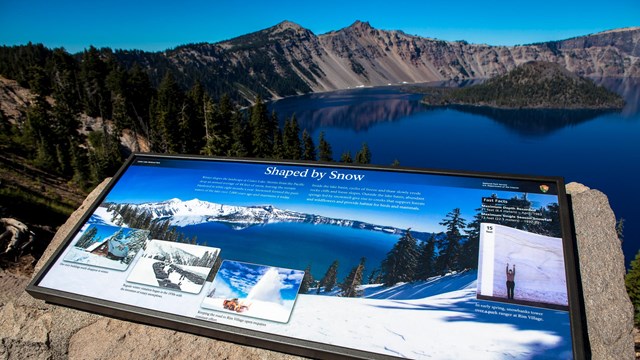
Wayside exhibit grids provide a digital framework for creating wayside exhibit production files. The grids are furnished in a variety of sizes and comply with the NPS Sign Program.
Grid Version Requirements:
- Adobe InDesign CS2, CS3, or CS4 (MacOS or PC-Windows)
- NPS approved OpenType® fonts NPS Rawlinson OT and Adobe Frutiger Std.
Acquiring NPS Approved Fonts
- NPS staff can download NPS Rawlinson OT and Adobe Frutiger Std from the NPS Graphic Identity Program website.
- Contractors and partners can obtain NPS Rawlinson OT through their local park contact or by contacting Susan Haines at Harpers Ferry Center (Susan_Haines@nps.gov; 304-535-6033).
- Contractors and partners must acquire their own copies of Adobe Frutiger Std from Adobe Systems or from another font vendor.
- Retrieve an OpenType Font Chart
for the NPS typefaces.

36x24 NPS UniGuide wayside exhibit grid with document guides turned on.
Wayside Exhibit Grids
Version 2.6 (June 2008)
This version of the Wayside Exhibit Grids includes these revisions:
- Addresses transparency issue with the black band and Adobe InDesign: the black ID band for all grids has been converted to a rich black (60/50/40/100).
- CS2 versions now available (autodate feature disabled - incompatible with CS2).
- New 24x42 upright grid added.
Each grid is furnished in a single ZIP compressed file. There are separate versions of each grid for Adobe InDesign CS2 and Adobe InDesign CS3 (see below). You must unzip each file and then open the grid using the appropriate version of Adobe InDesign. All the grids for each version of Adobe InDesign are also available in a single ZIP file (see below).
Grids for which there are no links below are not presently available. For a design detail, retrieve the NPS UniGuide Wayside Grid illustration
.
All dimensions are listed in inches (width x height)
Grids for InDesign CS2
Low Profile
| 6" | 6x12 | ||||||
| 12" | 12x12 | 18x12 | 24x12 | 30x12 | 36x12 | 42x12 | 48x12 |
| 18" | 18x18 | 24x18 | 30x18 | 36x18 | 42x18 | 48x18 | 60x18 |
| 20" | 30x20 | ||||||
| 24" | 24x24 | 30x24 | 36x24 | 42x24 | 48x24 | 60x24 | |
| 36" | 48x36 | ||||||
Upright
| 36" | 24x36 | |
| 42" | 24x42 | |
| 48" | 24x48 | 36x48 |
Bulletin Case Panel
| 48" | 36x48 |
Download all InDesign CS2 wayside exhibit grids (14.1 MB)
Grids for InDesign CS3
Low Profile
| 6" | 6x12 | ||||||
| 12" | 12x12 | 18x12 | 24x12 | 30x12 | 36x12 | 42x12 | 48x12 |
| 18" | 18x18 | 24x18 | 30x18 | 36x18 | 42x18 | 48x18 | 60x18 |
| 20" | 30x20 | ||||||
| 24" | 24x24 | 30x24 | 36x24 | 42x24 | 48x24 | 60x24 | |
| 36" | 48x36 | ||||||
Upright
| 36" | 24x36 | |
| 42" | 24x42 | |
| 48" | 24x48 | 36x48 |
Bulletin Case Panel
| 48" | 36x48 |
Download all InDesign CS3 wayside exhibit grids (15 MB)
Additional Resources
- Introduction to NPS Wayside Exhibit Grids (16-minute Quicktime Video | 58 MB | Text Transcript)
- Color Management for HFC Designers & Cartographers (PDF)
- NPS UniGuide Wayside Grid illustration (PDF)
- Standards for Digital Image Files (December 2006 - PDF)
- Wayside Exhibits Digital File Naming Guide (PDF)
- Wayside Typographic Standards (PDF)
"You Are Here" Adobe InDesign Library
These ready-made "You Are Here" flags can be positioned and customized anywhere on an Adobe InDesign document.
Color Arrowhead for Previous Grids
Upgrade to the color Arrowhead quickly and easily without updating your grids. Properly sized and formatted, just relink to the new Arrowhead file with no additional scaling or positioning.