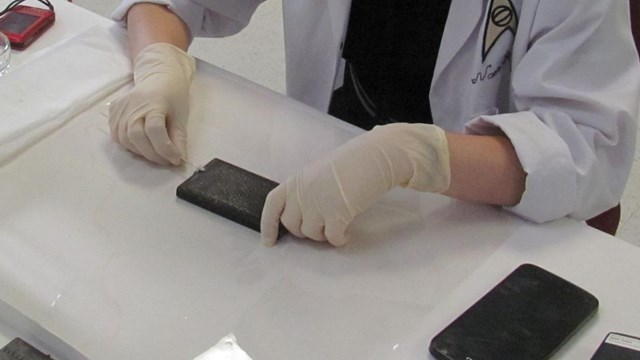
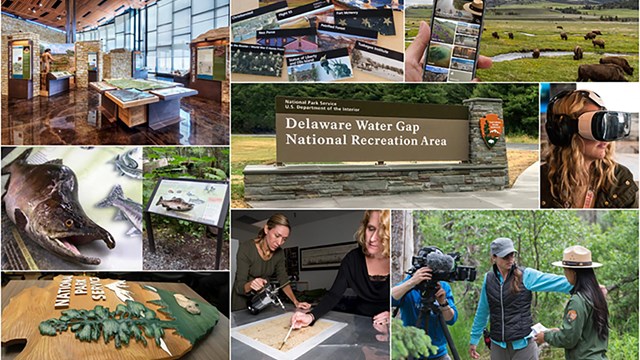
Harpers Ferry Center staff review page proofs from
a commercial printer. |
|
Printing
Paper
As a conservation and land management agency we should use recycled
materials as much as we can. In addition, an executive order was
issued in 1998 requiring Federal agencies to use recycled paper.
When printing is done by the Government Printing Office they will
automatically specify recycled paper. When printing locally with
cooperating association funds you will need to specify recycled
paper. It is common now to print using environmentally friendly
water-based or vegetable-oil ink as well. See "Sustainable
Materials" (Information
Design, p. 23).
Since the public expects us to use these materials it’s a
good idea to show them that we do use them. Three recycle logos
are in common use, each in a prescribed manner.
Above (left to right): Recyclable logo, recycled
logo, and post consumer waste content logo.
Paper Specifications
Talk with your printer about the papers they have available to
them. If they must order paper your project will take longer. Talk
about the standard sizes they normally use. They have very clever
ways to get the most out of a sheet of paper, make printing easier
and faster, and reduce your cost. Remember that the site bulletin
system is designed for use on white paper.
Brochures can be printed on 50-, 60-, or 70-pound offset book.
The higher numbers indicate heavier paper. A brochure printed on
one side may be able to use a lighter weight, less expensive paper.
Two-sided brochures may require a heavier weight in order to keep
images from showing through from one side to the other. Your printer
can show you samples and make suggestions.
Rack cards may be too limp to stand up in a dispenser or be handed
out at the entrance station if printed on lightweight paper. You
should use a heavier stock like 80-pound cover.
Printing Specifications
A printer will need a set of specifications from you to give you
a price quote and completion date. If they get the job they will
use the specifications to print the publication. Working in advance
with your printer will enable them to help you provide all the information
they need. This is a basic list of what they will want:
- Date: Date you send specifications.
- Printer: Company name, address, phone number.
- For: Your national park, address.
- Contact: NPS person in charge of this job,
phone number.
- Job Title: Name of the publication (example:
“A Guide To The Patch Reef”).
- Finished Product: Brochure, booklet, poster,
letterhead, etc.
- Quantity: Number you want (printing industry
standards allow them to give you within one percent of this).
A typical quotation would ask for several quantities so you can
see the price breaks.
- Cost: Completed by printer.
- Shipping Estimate: Completed by printer if
applicable.
- Number of Pages: One sheet of paper has two
pages: Printing on one side makes it one page; printing on both
sides makes it two pages.
- Paper: Weight, type, color; recycled.
- Ink: Color, plus any spot colors; soy ink.
- Trim Size: Size of the final unfolded sheet.
Does the ink bleed?
- Folds: Description of fold. A sample “folding
dummy” is helpful.
- Folded Size: Size of the final folded brochure.
- Provided by Customer: Computer disk (with programs
used to create it, file names, linked images, special fonts used,
PC or MacIntosh; do you want it back?) or hard copy.
- Proofs: Do you want to see proofs? (This is
highly recommended.)
- Shipping Method: Printer delivers, by UPS,
by trucking company, or you pick up.
- Deliver To: Name, address, phone number.
- Billing Address: Who is paying?
- Ownership: NPS, cooperating association, etc.
PC users can download a Print Specifications Template in Microsoft
Word format. Print
Specifications Template (MS-Word).
"How To Work With Printers" is an experienced printer’s
explanation (Information
Design, p. 67).
When contracting with GPO, they will have a standard form to complete,
but it will contain similar information to that above. See "GPO’s
Desktop Publishing Guidelines" (Information
Design, p. 73) and "Government Contracting" (Information
Design, p. 85). |
|
TABLE OF CONTENTS:
Publications »
PARK-PRODUCED PUBLICATIONS:
1 Introduction »
2 Using a Design System »
3 Getting Started »
4 Design »
5 The Grid »
6 Typography »
7 Choosing and Using Illustrations »
8 Maps »
9 Production »
10 Printing
11 Care & Upkeep »
12 Using the Templates »
13 Bibliography »
PDF DOCUMENTS:
Information
Design, Tools & Techniques for Park-Produced Publications »
Help With PDF »
|