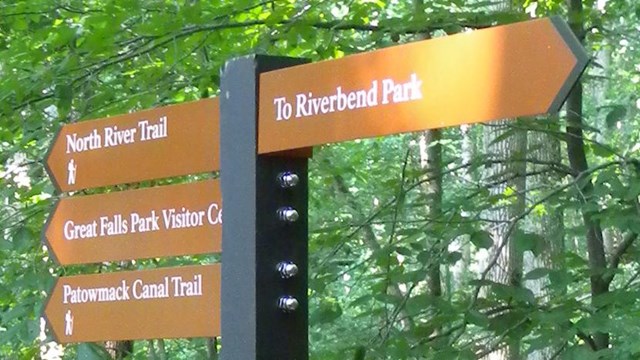
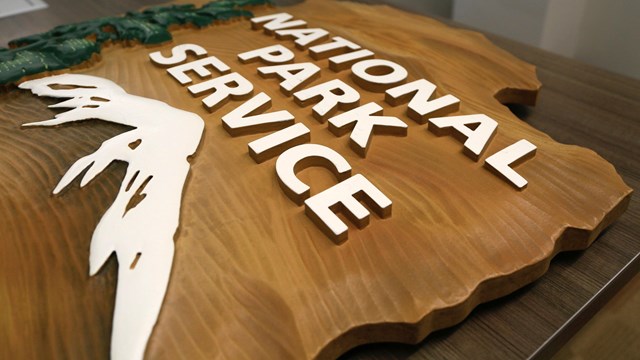
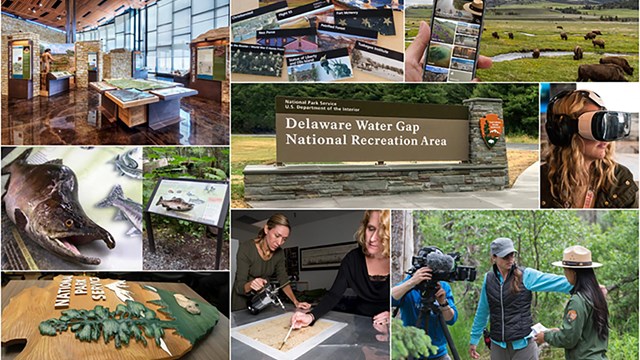
Discovery Center Exhibits at Rock Creek Park, Washington,
D.C.
Learn more » |
|
Advice on Selecting Typefaces for NPS Exhibits
Accessibility
Creating accessible type is mostly common sense. Maintain high
contrast between type and background, make type large enough, and
avoiding putting type on top of a busy background graphic - especially
if the type is in the smaller range.
National Park Service exhibit specialists advise using type no
smaller than 24 points in exhibits. We have been shooting for keeping
the smallest type (photo captions and credit lines) at least 24
pt, and going upward from there in size to body copy, subheads,
heads, etc.
Also take into account lighting conditions and how close the visitor
can get to the graphic panel. The more impediments against the visitor
seeing the type well, the more the size and contrast of the type
should be cranked up to make up for that. It’s hard to make
a book of guidelines for this; it’s all part of the art of
exhibit design.
— Anita Smith, HFC
Using Standard NPS Fonts
Although I strongly support the use of NPS Rawlinson and Frutiger
on most all NPS media products, I have a somewhat softer position
when it comes to exhibits. I do believe that the two standard faces
should be used on informational displays in visitor centers: at
the information desk, elsewhere in a lobby, and perhaps at the entrance
to an exhibit area, or on a credits panel. However, if the architectural
style of the exhibit space and/or the content of the exhibits strongly
suggest doing so, I can see using other typefaces.
On the other hand, if there is nothing that compels the use of
other faces, I see no reason not to use Rawlinson and Frutiger.
Both of these are excellent typefaces which work well together and
are very readable, even at small sizes and in low lighting. And,
of course, they have the added (albeit subtle) benefit of connecting
the exhibits to other media. NPS Graphic
Identity Program »
— Phil Musselwhite, HFC
The Role of Text & Typography in Exhibits
While the selection of appropriate fonts is important, it is only
one piece of the complex puzzle assembled to create a successful
exhibit design. When I incorporate text into an exhibit, a few very
basic principles come to mind: Can visitors read it? Does it communicate
the intended message? Does it fit stylistically with the exhibit
design?
Can visitors read the text? Some typical issues with legibility
have already been mentioned in the paragraphs above. Some fonts
are easier to read than others, but it’s difficult for me
to recommend just two or three. Even the perfect font will be ruined
if used in the wrong way.
Type is a design element, and should be open to exploration just
like every other element of an exhibit. Ideally it should enhance
the visitor’s interpretive experience. The real problem arises
when poorly executed typography becomes an impediment to communication.
Common errors that create legibility issues in an exhibit environment
include:
- BODY TEXT SET IN ALL UPPER CASE LETTERS.
- Type columns that are too wide (your eye gets lost if the lines
are too long);
- Too little spacing between lines of type (greater line spacing
is needed for exhibits than for books or magazines);
- Under-sizing of type that will be viewed at a distance (text
viewed from ten feet away should be 10 times larger than text
designed for viewing at a distance of one foot).
Color, contrast and lighting are other common problems affecting
legibility of text in exhibits. Since exhibits exist in three-dimensional
space, it can be very difficult during the design process to predict
the interplay of light and shadow. But the effort should be made.
This can be especially important when planning to locate text labels
next to light-sensitive artifacts in display cases.
There is not room here for a course in typography, but for more
detailed information a good place to start is the Adobe
Type Primer (PDF).
See also Guidelines
for Using NPS Typefaces (PDF).
Does exhibit text communicate the message? Exhibits have a number
of strengths. They can incorporate objects and artifacts, provide
for visitor interaction, create an immersive experience, and transcend
language and cultural barriers. Of all the elements planners and
designers can incorporate into an exhibit, text would appear to
be the easiest and least expensive. While the price is right, unfortunately,
text is very hard to do well in an exhibit. It is often a poor choice
for communicating the story. Text works best as a support element
in an exhibit, not as the primary interpretive tool. Images, objects,
three-dimensional environments, interactive devices, and audiovisual
elements all provide for a more engaging and effective visitor experience.
If budget limits you to two-dimensional graphic panels, then the
quality of the visuals, graphic design, and the writing style becomes
even more important, since they must work extra hard to attract
and hold the visitor’s attention while communicating the exhibit’s
story. Standing in an exhibit, reading, while other activities swirl
around you is a very different environment than sitting comfortably
in a chair concentrating on a book or magazine.
Does the text fit stylistically with the exhibit design? John Warnock,
a founder of the graphics software giant Adobe Systems likes to
say “Good typography is something everyone sees, but no one
notices.” Often in exhibits it is best for typography to exist
as a subtle element in the background that quietly does its job
without calling special attention to itself. This is certainly the
case for labels, captions, and other large blocks of text.
There are times, however, when text can become an active, dynamic
part of an exhibit’s visual design. For large headlines and
titles, the tasteful application of specialized graphic treatments
can be very effective. Unusual fonts that may be annoying or difficult
to read when used for a long block of text may be appropriate for
large headlines or titles consisting of just a few words. In this
use, typography becomes a graphic accent, a little splash of visual
interest that helps draw visitors to important information. Knowing
when and how to do this is one of the skills a good designer will
bring to your project. Basic design principles always apply: the
overall appearance of your presentation should be cohesive, and
every element should look like it belongs.
— Don Branch, HFC
|
|
TABLE OF CONTENTS:
Exhibits & Museums »
RELATED LINKS:
NPS Graphic Identity Program »
PDF DOCUMENTS:
Adobe
Type Primer »
Guidelines
for using NPS Typefaces »
Help With PDF »
|